How to book a delivery app payout without losing sales or commission
To book a delivery app payout, record the bank deposit as it lands, then use the app's payout report to gross sales back up to the full order value. Commission, promotions you funded and refunds each get their own line. One journal entry a month, built from the weekly reports, keeps the books right without cluttering the ledger.
The worked example below is one fictional week for a small restaurant. Every number is made up, and every number adds up.
Why isn't the deposit the sale?
The deposit is what is left after the app takes its cut. If the books record only the deposit, sales are understated and the commission disappears. Food cost then gets measured against a sales figure that is too small, so it looks worse than it is.
How do you record a payout, step by step?
Step 1: Download the payout report
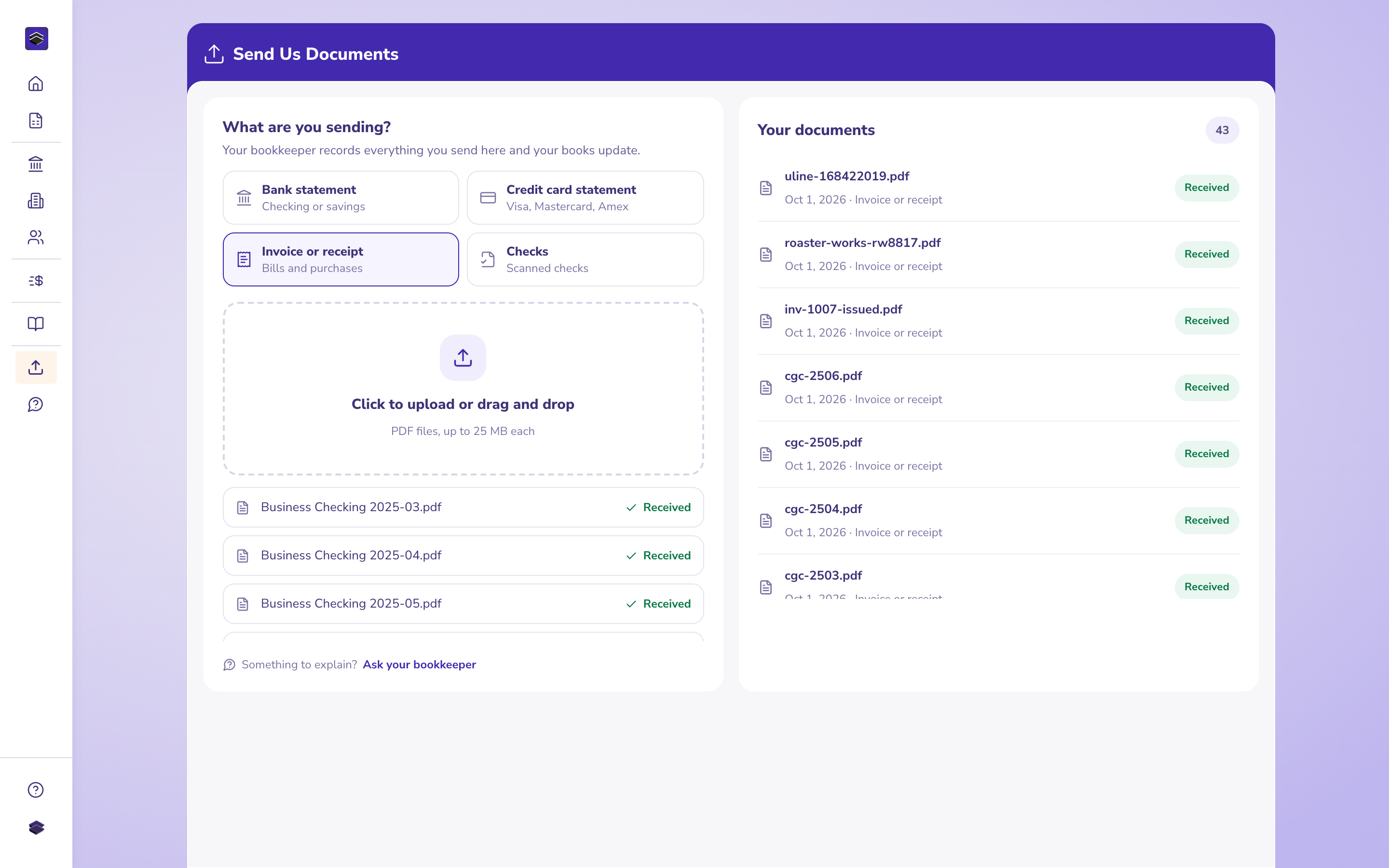
Every app has a merchant portal with a report for each payout period. That report is the only document that shows the gap between the orders and the deposit. Save one for each payout.
Step 2: Check the report foots
Here is our fictional week, read from the report:
| Line on the report | Amount | Where it goes |
|---|---|---|
| Order subtotals | 3,180.00 | Delivery sales |
| Commission (20%) | (636.00) | Delivery app commissions |
| Promotion you agreed to fund | (120.00) | Marketing |
| Refund for a missing item | (42.50) | Refunds against delivery sales |
| Net payout to your bank | 2,381.50 | Matches the deposit |
Fictional figures. 3,180.00 less 636.00, 120.00 and 42.50 equals 2,381.50.
If your own subtraction lands on a different number, a deduction is hiding somewhere. Tablet fees and adjustments carried from an earlier week are the usual suspects.
Step 3: Find out who sent in the sales tax
Look for a tax line and a note about who remitted it. In many places the app collects and remits the tax, so it never reaches you. If the restaurant collected it, it belongs in Sales tax payable alongside dine-in tax, and never in sales.
Step 4: Book the deposit when it arrives
Post the 2,381.50 to Delivery sales. The bank account now agrees with the statement, and sales are short by 798.50 until the month-end entry.
Step 5: Post one gross-up entry for the month
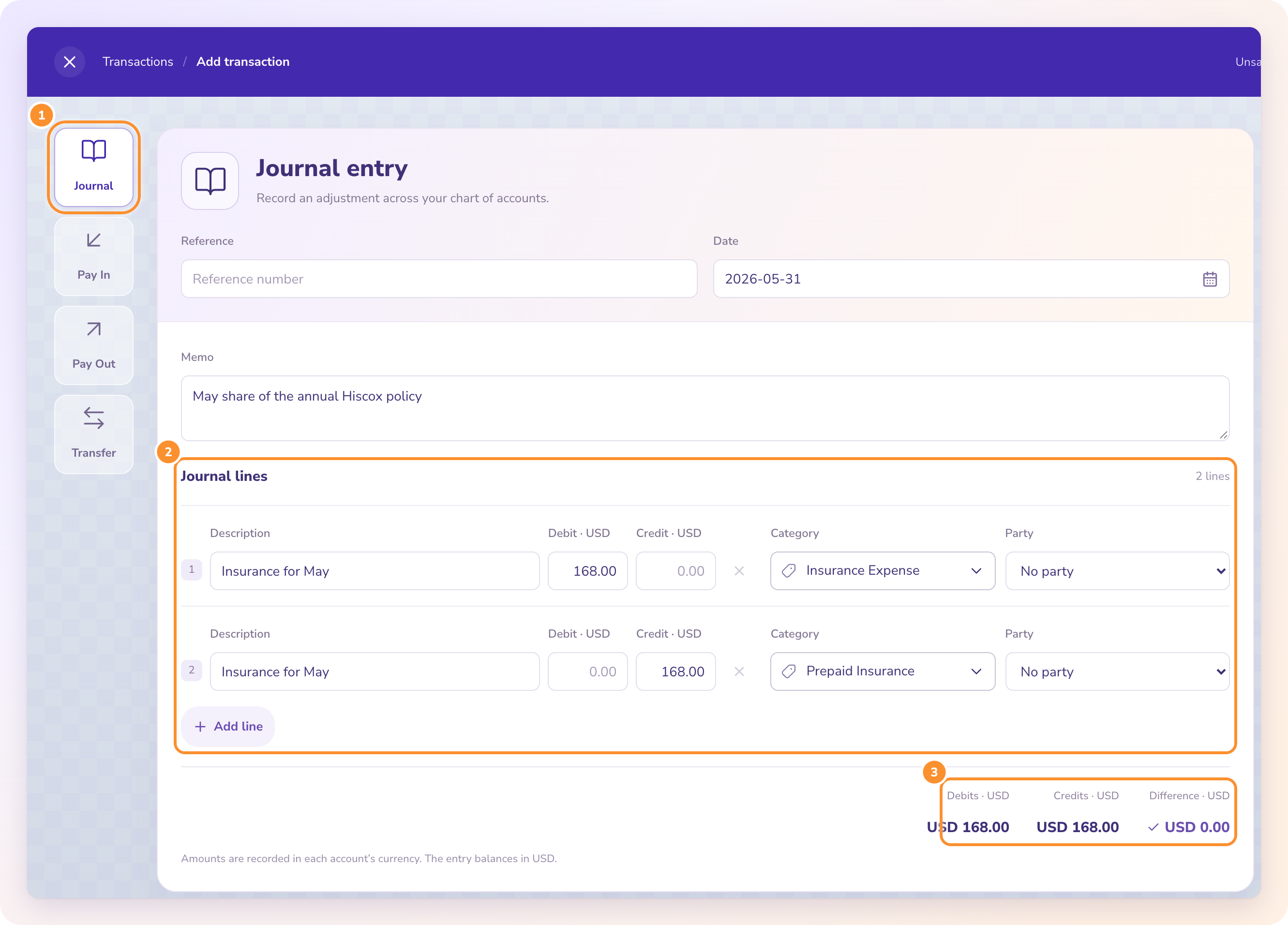
Add the deductions from every payout report in the month. For our single week the entry would be:
- Debit Delivery app commissions 636.00
- Debit Marketing 120.00
- Debit Refunds against delivery sales 42.50
- Credit Delivery sales 798.50
Step 6: Keep commission out of food cost
Commission pays for the app's service. Put it with operating expenses on its own line, so you can compare what a delivery order earns against a table in the dining room.
Book the deposit on the day it lands. Fix the sales figure once a month, from the payout reports.
What changes if the app pays every day?
Only the number of deposits. Post each one to Delivery sales as it arrives, keep a running sheet of each report's deductions, and total the sheet at month end for one entry. An entry per daily payout also works, but thirty entries tell you nothing that one doesn't.
What should be kept with the month?
The payout reports, filed with that month's bank statement. If anyone asks next spring why delivery sales sit above the deposits, the reports answer it in a minute.
Key takeaways
- The bank deposit is the net payout, so it understates sales on its own.
- Each payout report should foot to the deposit before you use it.
- One gross-up entry a month adds back commission, funded promotions and refunds.
- Commission is an operating expense and stays out of food cost.
FAQ
Is delivery app commission part of cost of goods sold?
No. It pays for a service, so it sits in operating expenses on its own line. Keeping it out of cost of goods sold keeps food cost honest.
Do I owe sales tax on delivery orders?
It depends on the app and the state. Check the payout report for a tax line and who remitted it. If the restaurant collected it, it goes to Sales tax payable.
Can I just book the net deposit and skip the gross-up?
Your bank will reconcile, but sales and commission will both be understated, and food cost as a share of sales will look worse than it is.
Tips, sales tax, inventory counts and a full worked month for a fictional bistro are in the ZeraBooks guide to bookkeeping for restaurants.
Disclosure: I'm the founder of ZeraBooks. The ZeraBooks bookkeeping service posts these entries from uploaded statements and payout reports, from $150 a month in U.S. dollars, priced after a free call. ZeraBooks doesn't connect to delivery apps, so the reports arrive as uploads.


Comments
Post a Comment